Code CR4405 Manuel d'utilisateur Page 15
- Page / 16
- Table des matières
- MARQUE LIVRES


- USER MANUAL 1
- Code Reader™ 4405 User Manual 3
- Table of Contents 4
- 1.0 - Included if Ordered 5
- 3.0 - Phone Installation 6
- 6.0 - Powering On the iPhone 7
- 8.0 - Scanning 8
- 11.0 - Reading Ranges 9
- 14.0 - Power Management 10
- 16.0 - Using CortexMobile 11
- 17.0 - CortexMobile 12
- Used for Demonstration 12
- 19.0 - CR4405 Dimensions 13
- D018433_02_CR4405_User_Manual 14
- 23.0 - CR4405 Maintentance 15
- 24.0 - Warranty* 15
Produits connexes et manuels pour Équipement Code CR4405
 (11 pages)
 (2 pages) (67 pages)
(39 pages)
(68 pages)
Grayhill Human Interface Optical Encoders 62HN Series manuels
Manuels d'utilisation et guides de l'utilisateur pour Matériel Grayhill Human Interface Optical Encoders 62HN Series.
Nous fournissons des manuels en pdf 1 Grayhill Human Interface Optical Encoders 62HN Series à télécharger gratuitement par type de document : Manuel de l'utilisateur
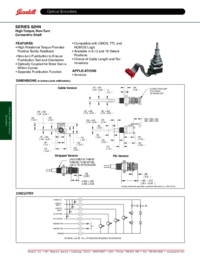
Grayhill Human Interface Optical Encoders 62HN Series Manuel de l'utilisateur (2 pages)
marque: Grayhill | Catégorie: Hardware | Taille: 0.32 MB |
Table des matières
Plus de produits et de manuels pour Matériel Grayhill
| Modèles | Type de document |
|---|---|
| Human Interface Optical Encoders 62HS Series |
Manuel de l'utilisateur
Grayhill Human Interface Optical Encoders 62HS Series User Manual [en] ,
2 pages
|
| Human Interface Optical Encoders 62M Series |
Manuel de l'utilisateur
Grayhill Human Interface Optical Encoders 62M Series User Manual,
2 pages
|
| Human Interface Optical Encoders 62N Series |
Manuel de l'utilisateur
Grayhill Human Interface Optical Encoders 62N Series User Manual [en] ,
2 pages
|
| Human Interface Optical Encoders 62R Series |
Manuel de l'utilisateur
Grayhill Human Interface Optical Encoders 62R Series User Manual [en] ,
2 pages
|
| Human Interface Optical Encoders 62S Series |
Manuel de l'utilisateur
Grayhill Human Interface Optical Encoders 62S Series User Manual,
2 pages
|
| Human Interface Optical Encoders 62T Series |
Manuel de l'utilisateur
Grayhill Human Interface Optical Encoders 62T Series User Manual [en] ,
2 pages
|
| Human Interface Optical Encoders 61A Series |
Manuel de l'utilisateur
Grayhill Human Interface Optical Encoders 61A Series User Manual,
2 pages
|
| Human Interface Optical Encoders 62HR Series |
Manuel de l'utilisateur
Grayhill Human Interface Optical Encoders 62HR Series User Manual,
2 pages
|
| Human Interface Optical Encoders 61L Series |
Manuel de l'utilisateur
Grayhill Human Interface Optical Encoders 61L Series User Manual,
2 pages
|
| Human Interface Optical Encoders 61M Series |
Manuel de l'utilisateur
Grayhill Human Interface Optical Encoders 61M Series User Manual [en] ,
2 pages
|
| Human Interface Optical Encoders 61R Series |
Manuel de l'utilisateur
Grayhill Human Interface Optical Encoders 61R Series User Manual,
5 pages
|
| Human Interface Optical Encoders 63K Series |
Manuel de l'utilisateur
Grayhill Human Interface Optical Encoders 63K Series User Manual [en] ,
2 pages
|
| Human Interface Optical Encoders 63R Series |
Manuel de l'utilisateur
Grayhill Human Interface Optical Encoders 63R Series User Manual,
2 pages
|
| Keypads 37F Series |
Manuel de l'utilisateur
Grayhill Keypads 37F Series User Manual,
2 pages
|
| Keypads 82 Series |
Manuel de l'utilisateur
Grayhill Keypads 82 Series User Manual,
6 pages
|
| Keypads 83 Series |
Manuel de l'utilisateur
Grayhill Keypads 83 Series User Manual,
4 pages
|
| Keypads 84 Series |
Manuel de l'utilisateur
Grayhill Keypads 84 Series User Manual,
4 pages
|
| Keypads 84BL Series |
Manuel de l'utilisateur
Grayhill Keypads 84BL Series User Manual,
2 pages
|
| Keypads 3K Series |
Manuel de l'utilisateur
Grayhill Keypads 3K Series User Manual,
4 pages
|
| Keypads 84S Series |
Manuel de l'utilisateur
Grayhill Keypads 84S Series User Manual,
3 pages
|
© 2020, manymanuals.fr. Tous droits réservés | 0.037 s |
 Manymanuals.com
 Manymanuals.de
 Manymanuals.fr
 Manymanuals.it
 Manymanuals.pl
 Manymanuals.cz
 Manymanuals.es
 Manymanuals-pt.com
Commentaires sur ces manuels